US Passport Photo Maker — Official 2×2 Inch Online Generator
Drop photo for United States Passport/Visa
Pre-configured for United States biometric standards.
Ready for State Department submission. Generate print-ready 2×2 inch US passport and visa photos with biometric alignment — all 100% locally in your browser.
United States Compliance FAQ
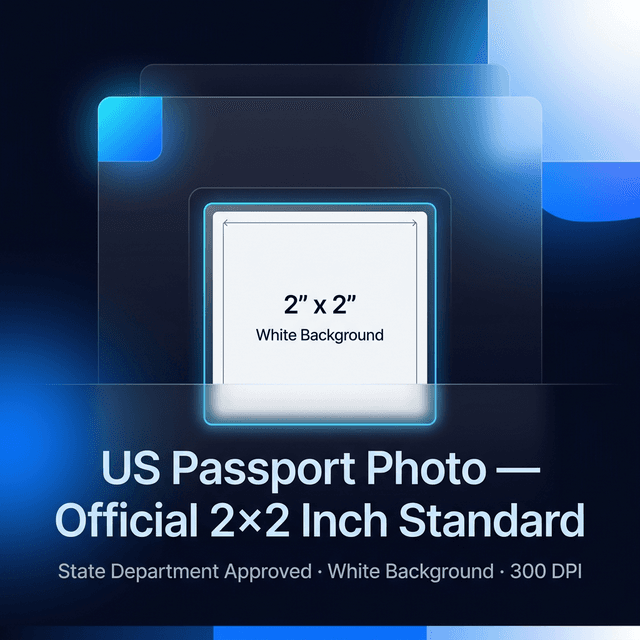
US Passport Photo Maker — Official 2×2 Inch Online Generator
Generate biometric-ready US passport and visa photos with full State Department compliance — 100% free and private.
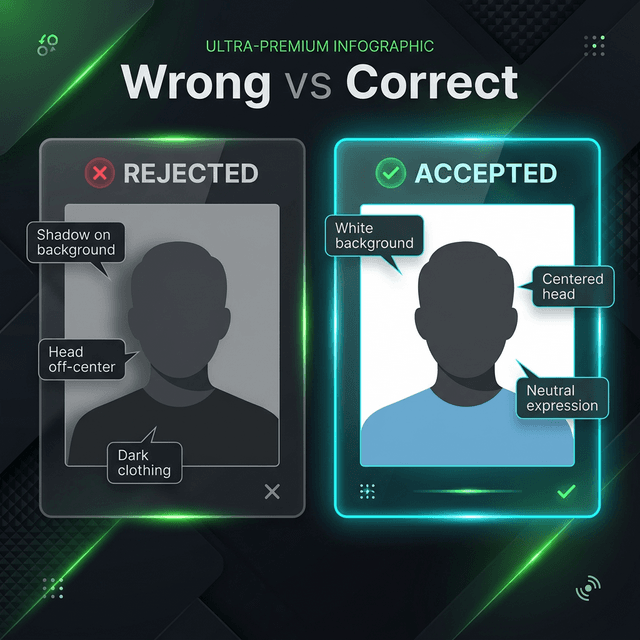
Applying for a US passport or visa is a significant undertaking. The most common cause of application rejection? The passport photo. Every year, thousands of Americans have their applications returned because their photo fails the State Department's strict biometric standards. A wrong background, an incorrect head size, or even a slight shadow can mean a delay of weeks or even months.
Our US Passport Photo Maker eliminates this risk entirely. It pre-configures every requirement — from the exact 2×2 inch (51×51mm) dimensions to the white background standard and biometric head-height ratios — so you can produce a compliant photo without any technical knowledge. And because it runs 100% in your browser, your sensitive biometric data never leaves your device.
Official US Passport Photo Requirements (2026 Update)
The US State Department is clear about what it needs. Every photo must meet these standards without exception:
- Dimensions: Exactly 2×2 inches (51×51mm). No exceptions.
- Resolution (Digital): Minimum 600×600 pixels; maximum 1200×1200 pixels.
- Resolution (Print): 300 DPI for sharp, professional results.
- Head Height: 1 inch to 1 3/8 inches (25mm–35mm) from chin to top of head.
- Eye Position: 1 1/8 to 1 3/8 inches (28mm–35mm) from the bottom of the photo.
- Background: Plain white or off-white. No shadows, patterns, or tinted backdrops.
- Expression: Neutral expression or a natural smile. Both eyes must be open and forward-facing.
- Glasses: Not permitted since 2016. Remove all eyewear before your photo.
- File Age: The photo must have been taken within the last 6 months.
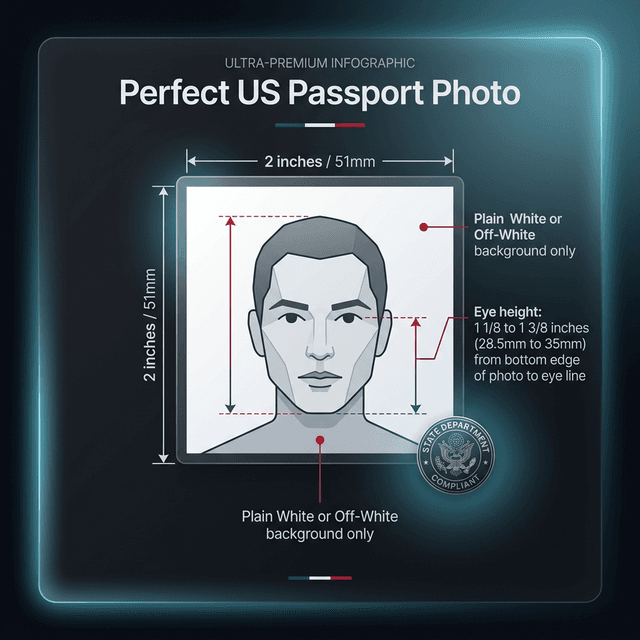
Failure to meet the US passport photo size requirements is the most common reason for rejection. Our biometric alignment guides overlay your portrait in real time, showing green zones for correct head positioning and red zones to avoid — so you never have to guess.
How to Take a Professional US Passport Photo at Home
Expert tips for studio-quality results with just a smartphone.
You don't need a professional studio. A modern smartphone and these four steps produce results that exceed what you'd get at a CVS or FedEx photo centre — at zero cost.
- Lighting is everything: Stand facing a window during daylight hours. This gives you even, diffused natural light with zero shadows. Avoid ceiling lights, which cast "raccoon shadows" under your eyes — an automatic rejection trigger for biometric scanning.
- Find a plain white wall: Or don't worry — our AI Background Remover instantly replaces any background with a State Department-compliant white backdrop. This is the fastest path to compliance for most people.
- Camera distance matters: Have someone take your photo from 4–6 feet away using the rear camera. Never use a selfie — the front-facing camera distorts facial proportions, making the nose appear larger. Biometric scanners flag this.
- Attire: Wear everyday clothes. Avoid white clothing that blends into the background. Uniforms and camouflage are prohibited. Remove glasses before the shot.
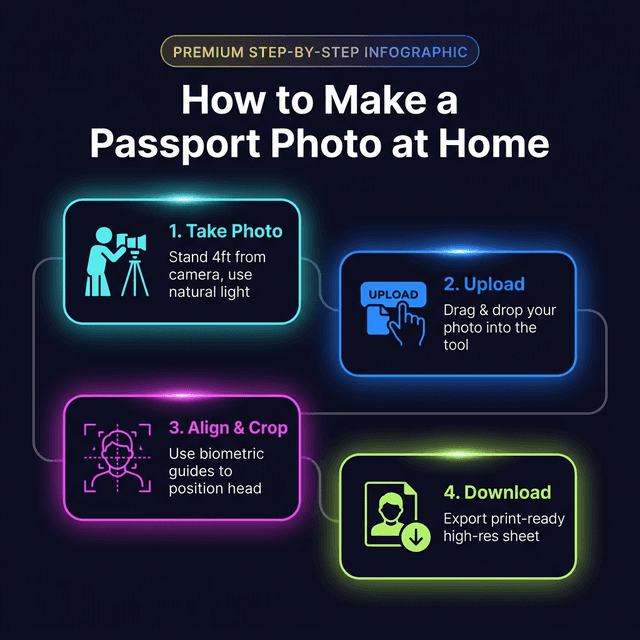
Take 5–10 photos in one session with slight adjustments between each. Then upload all of them to our tool to quickly find the one with the best alignment and lighting before committing to the print.
US Passport Photo: Online Tool vs. Retail Photo Booth
Why a Zero-Server tool outperforms every alternative.
Before our tool existed, your options for a US passport photo were limited to expensive photo booths or overcrowded retail shops. Here is how the options compare:
| Feature | img.ubify Tool | Retail (CVS / FedEx) | Professional Studio |
|---|---|---|---|
| Cost | 100% Free | $15 – $22 | $50+ |
| Privacy | Total — Zero Server | Third-party cloud | Shared physical storage |
| Speed | Under 60 seconds | 20–30 minutes | By appointment |
| Print Options | 4-up, 6-up, 12-up PDF | 2 physical prints | Varies |
| Biometric Check | Yes (live overlay) | Human judgment | Varies |
| Background Fix | AI-powered, instant | Fixed studio backdrop | Studio backdrop |
Retail photo centres often use outdated equipment. Their technicians follow general guidelines but don't have access to the State Department's pixel-level biometric verification tools. Using our high-resolution passport photo maker puts that precision in your hands — free and private.
Generating Your US Passport Photo Print Sheet
Print at home or at any local pharmacy — your choice.
Once you've aligned and cropped your US passport photo, you need it print-ready. The standard submission format requires two identical 2×2 inch prints. Our tool automates this:
- 4-Up Sheet (4×6 Paper): Four identical 2×2 inch photos per sheet. The standard format for pharmacy printing (CVS, Walgreens).
- A4 Print Sheet: Six or eight photos per A4 sheet, ideal for home printing.
- PDF Export: A professionally formatted PDF with accurate physical dimensions. Open it and print at 100% scale.
When printing, always select "Actual Size" or "100%" in your printer settings — never "Fit to Page." This guarantees the physical dimensions remain exactly 2×2 inches.
You can also use the digital image directly for online applications. The US State Department accepts digital submissions via their Photo Tool for renewals. Our output meets all their digital specifications.
After printing, use a sharp craft cutter against a ruler to cut each photo. Scissors leave uneven edges. Government processing centres prefer clean cuts with sharp corners.
Privacy First: Why Your Biometric Data Deserves Better
The Zero-Server promise — your data never leaves your device.
Most online passport photo tools require you to upload your portrait to their cloud servers. This means your biometric data — your face — is transmitted over the internet, stored on foreign servers, and potentially retained for machine learning purposes. For an ID document photo, this is an unacceptable privacy risk.
img.ubify operates on a fundamentally different architecture. Every pixel transformation, background removal, and print layout calculation runs inside your browser's own memory. There are no API calls, no server uploads, and no data retention. Your US passport photo is created, processed, and downloaded without ever leaving your machine.
For additional security before digital submission, use our Metadata Scrubber to strip GPS coordinates and camera EXIF data from your photo file, and the AI Photo Restorer if your source image needs sharpening before processing.
🛠 You Might Also Need
Ready to Create Your US Passport Photo?
Ditch the photo booth queue and the $20 fee. Drop your portrait into the US Passport Photo Maker above for a biometric-compliant, print-ready result in under a minute.
ubify image team
We are a group of image processing enthusiasts and researchers who believe in asset sovereignty. Every tool here is built with ❤️ to give you high-fidelity results while keeping your data strictly in your control.